


Table of Contents
- Why Graphic Tees Need Special Care
- Step 1: Turn Your Graphic Tees Inside Out Before Washing
- Step 2: Choose Cold Water and a Gentle or Delicate Cycle
- Step 3: Select the Best Detergent for Graphic Tees
- Step 4: Avoid Bleach, Fabric Softener, and Harsh Chemicals
- How to Dry Graphic Tees Without Shrinking
- Can You Iron Graphic Tees? Best Practices
- Storage Best Practices for Long-Term Preservation
- Frequently Asked Questions
Last Updated: September 25, 2026
Why Graphic Tees Need Special Care
Graphic tees aren't like regular cotton shirts. The printed design sits on top of the fabric, and washing them the wrong way causes the print to crack, fade, or peel off entirely. At Sunfire Tees, we know how frustrating it is when a favorite shirt gets ruined after just a few washes.
The good news: when you wash graphic tees properly, it's simple and adds years to your shirt's life.
Heat, friction, and harsh chemicals break down the ink or heat-transfer material. Regular detergents contain optical brighteners and enzymes that lift the print off the fabric, while tumble dryers accelerate this damage through friction and heat.
The fix: turn tees inside out, use cold water, skip fabric softener, and air dry. These steps protect the print while keeping the shirt soft.
Step 1: Turn Your Graphic Tees Inside Out Before Washing
Turning your graphic tee inside out protects the print by reducing friction from wash action and detergent.
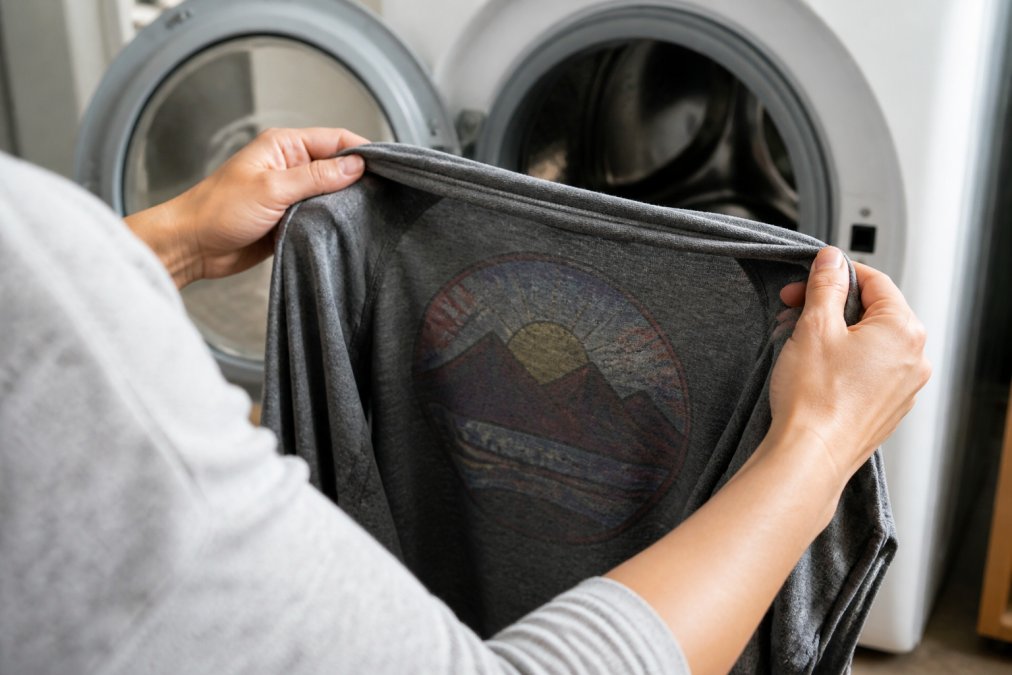
This works for all print types: screen prints, heat transfers, and direct-to-film designs.
Make it a habit: flip every graphic tee inside out before washing.
Step 2: Choose Cold Water and a Gentle or Delicate Cycle
Cold water is essential. Hot or warm water causes color bleeding, fading, and softens heat-transfer adhesives.
Cold water prevents dye bleeding and fading while reducing fabric stress, shrinkage, and wear.
A gentle or delicate cycle uses slower spin speeds and gentler agitation, reducing friction between shirt and drum.
Here's how to set it up:
- Select cold water (not warm, not hot)
- Choose gentle cycle or delicate cycle (most washers have this option)
- Use a low spin speed if your machine allows it
- Wash with a small load to reduce agitation
A delicate cycle cleans just as well as regular cycles, detergent does the cleaning, not agitation.
Step 3: Select the Best Detergent for Graphic Tees
Not all detergents work equally well for graphic tees. Different print types require different chemical considerations.
Why Standard Detergents Fail
Standard detergents contain enzymes and optical brighteners that attack print materials. Enzymes degrade the polymers in screen-printed inks and heat-transfer adhesives, while optical brighteners build up on prints, dulling colors.
Detergent Choice by Print Type
Different printing methods have different chemical sensitivities:
Screen-printed graphics use plastisol or water-based inks vulnerable to surfactants and enzymes that degrade the ink binder. Use a mild, enzyme-free detergent.
Heat-transfer prints rely on pressure-sensitive adhesive sensitive to heat and chemical solvents. Use detergents labeled "for delicates" or "wool wash" with gentler surfactants.
Direct-to-Film (DTF) prints use polyurethane adhesive and are damaged by optical brighteners and high alkalinity. Use pH-neutral, mild detergent.
Detergent Recommendations
Look for detergents labeled as "gentle," "mild," or "for delicates." Specific characteristics to seek:
- Enzyme-free formulation, Essential for screen prints. Check the label; it should explicitly state "no enzymes" or "enzyme-free."
- No optical brighteners, Avoid detergents marketed as "whitening" or "brightening."
- pH-neutral or slightly acidic, Alkaline detergents can fade dyes. Wool wash detergents are typically pH-balanced and work well for all print types.
- Minimal surfactants, Fewer cleaning agents mean less chemical stress on the print adhesive.
Suitable options include wool-specific, baby, and delicate-fabric detergents. Avoid detergents labeled "ultra," "concentrated," or "powerful."
Dosage Matters
Use a quarter to half cup of detergent for a small load. Excess detergent leaves residue that dulls prints and causes fading.
Step 4: Avoid Bleach, Fabric Softener, and Harsh Chemicals
Never use bleach on graphic tees, even diluted bleach strips color and creates permanent discoloration.
Fabric softener builds up on prints, dulling colors and causing peeling or cracking over time.
Avoid oxygen bleach, stain removers with strong chemicals, scent boosters, and laundry brighteners, all can fade or damage prints.
For stains, use cold water and mild detergent. Soak stubborn stains for an hour before washing.
How to Dry Graphic Tees Without Shrinking
How you dry your graphic tee is as important as washing. Wrong methods shrink shirts and crack prints.
Air Drying: The Best Method
Air drying is best, it eliminates heat, prevents shrinkage, and keeps fabric soft.
Here's how to air dry properly:
Hang drying is ideal. Hang the shirt in a well-ventilated area away from direct sunlight; most dry within 4-6 hours.
Lay flat drying works if space is limited. Flip halfway through for even drying.
Avoid direct sunlight, UV rays fade prints and fabric.
Why Tumble Dryers Damage Prints
Tumble dryers use high heat and constant friction, the two worst things for graphic tees. The heat can soften or melt the adhesive that holds heat-transfer prints in place. The tumbling action creates friction that causes prints to crack and peel.
Screen prints are especially vulnerable to heat. The ink can harden and become brittle, which leads to cracking with normal wear. Direct-to-film prints can separate from the fabric when exposed to sustained heat.
Even low or delicate heat settings on a dryer are risky. The combination of heat and friction, even at lower temperatures, causes cumulative damage over multiple wash cycles.
If you must use a dryer, use the absolute lowest heat setting and remove the shirt while it's still slightly damp. But air drying is always the better choice.
Can You Iron Graphic Tees? Best Practices
Ironing a graphic tee requires care. Direct heat from an iron can damage the print, just like a dryer can.
If you need to iron a graphic tee, follow these steps:
- Turn the shirt inside out to keep the print away from the iron
- Use the lowest heat setting on your iron
- Use a pressing cloth between the iron and the fabric for extra protection
- Iron the non-printed areas only whenever possible
- Never iron directly over the print
A better option is to avoid ironing altogether. Air-dried graphic tees typically don't need ironing if you hang them while still slightly damp. Gravity helps remove wrinkles as the shirt dries.
If wrinkles are stubborn, a steamer is safer than an iron. Steamers use moist heat rather than direct dry heat, which is gentler on prints. Hold the steamer a few inches away from the fabric and let the steam do the work.
Storage Best Practices for Long-Term Preservation
How you store graphic tees between wears matters as much as how you wash them. Proper storage prevents fading, keeps the print in good condition, and extends the life of the shirt. But storage also presents an opportunity to catch and address print damage before it worsens.
Optimal Storage Conditions
Fold rather than hang for long-term storage. While hanging is great for drying, long-term hanging can stretch the fabric and put stress on the shoulder seams, which can cause prints near the neckline to crack. Fold graphic tees and stack them in a drawer or on a shelf. If you must hang them, use padded hangers and rotate which tees you hang to distribute stress.
Store in a cool, dark place. Heat and sunlight fade both the fabric and the print over time.
Identifying and Addressing Print Damage
Even with proper care, prints can develop issues over time. Knowing what's salvageable and what isn't helps you decide whether to repair, restore, or retire a shirt.
Storage Duration and Rotation
Graphic tees don't have an expiration date, but their condition will gradually decline over years of storage if not properly maintained. Rotate your collection regularly, wear tees you've stored rather than letting them sit for years. This prevents adhesive from becoming brittle and allows you to catch damage early.
Frequently Asked Questions
Are you supposed to wash graphic tees inside out?
Yes, always wash graphic tees inside out. This protects the printed design from friction against the washing machine drum and other garments, reducing print cracking and fading. The inside-out method is the single most effective way to extend the life of your graphic tees, especially those with screen prints or heat transfer designs.
What type of detergent should I use to wash graphic tees?
Use a mild, enzyme-free detergent specifically formulated for delicate fabrics or colors. Avoid detergents with optical brighteners, bleach, or heavy surfactants, as these break down print adhesion and fade colors. Liquid detergents work better than powders since they dissolve completely and leave less residue on the fabric.
Is it okay to put graphic tees in the dryer?
Avoid tumble dryers entirely. High heat causes shrinkage, print cracking, and color fading. Air drying by hanging or laying flat is the best method to preserve both the fabric and the graphic design. If you must use heat, use the lowest setting for a few minutes only, but air drying is always the safer choice.
Can fabric softener damage graphic tees?
Yes, fabric softener coats the fibers and weakens the bond between the print and the fabric, leading to cracking and peeling. Skip fabric softener entirely for graphic tees. If you want softer feel, use white vinegar as a natural rinse alternative, or simply wash frequently with cold water to maintain softness without chemicals.
Washing graphic tees properly protects both the print and the fabric, but many people still struggle with damaged designs after just a few washes. Sunfire Tees graphic tees are crafted from soft, durable cotton and designed to hold up to proper care. Follow these seven steps, and your tees will look great wash after wash. Shop Sunfire Tees and start with apparel that's built to last.